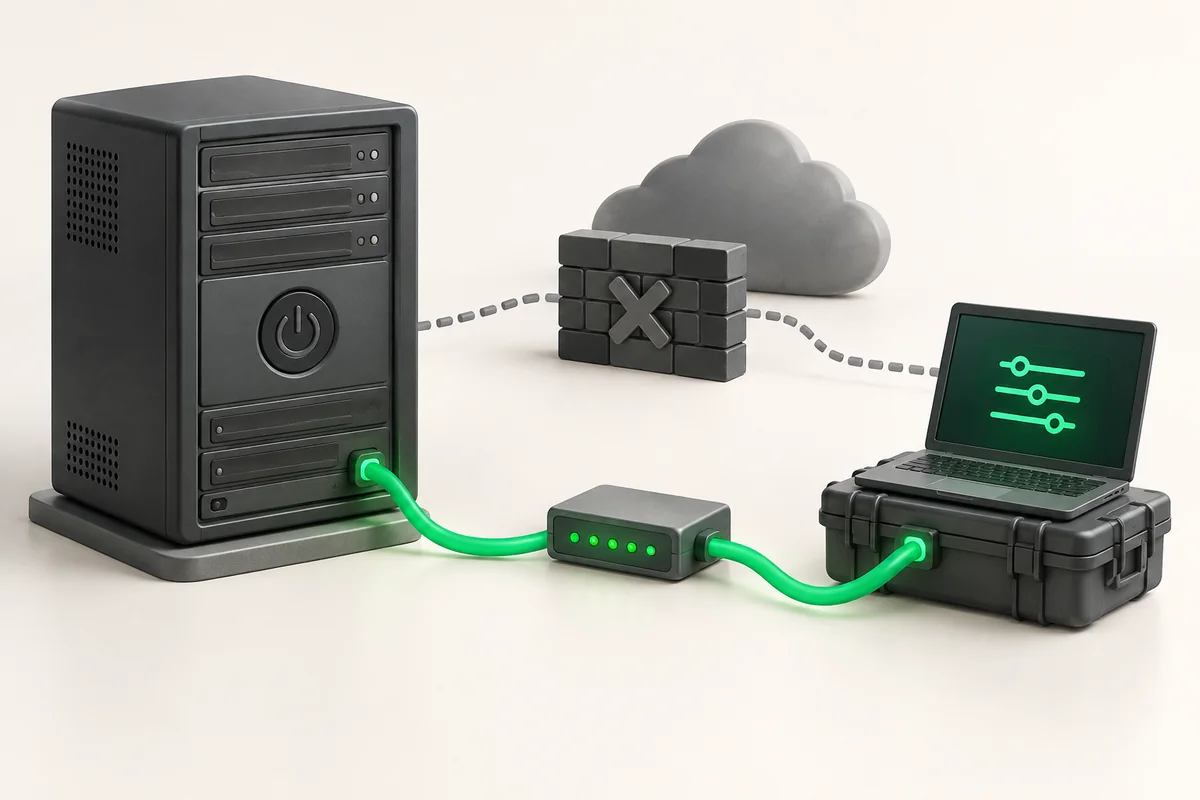
IPMI and KVM-over-IP: out-of-band server management
IPMI is a separate microcontroller (the BMC) on the server motherboard that runs independently of the CPU and the operating system. Through it you power the machine on and off, see the BIOS screen, mount an ISO image and read temperature sensors even when the OS refuses to boot. KVM-over-IP is the console part of IPMI: keyboard, video and mouse over the network.
- The BMC runs on standby power, so it stays reachable while the server is plugged in, even when the machine is off.
- On ZevsHost, KVM/IPMI access costs $5 per month and is already included in the Dedicated Enterprise US plan.
- The management interface must never be visible from the Internet: VPN or IP allowlist only.
What the BMC is and why it works without an OS
The BMC (Baseboard Management Controller) is a small processor with its own firmware, memory and network stack. It sits on the service buses of the board, reads sensors directly from the chips and does not depend on whether the main CPU is alive. Vendors layer their own web interfaces on top of IPMI (iDRAC, iLO, XCC), but the feature set is broadly the same.
What you get
- Power control: power on, graceful shutdown, hard reset, full power cycle.
- Video console from POST onward, so you see RAID controller initialisation and the bootloader menu.
- Virtual Media: an ISO image from your own machine attached as a virtual drive.
- Sensors for temperature, fan speed, voltages and power supply state.
- The SEL, a hardware event log holding corrected ECC errors and PSU failures.
What the BMC does not do: it cannot see disk contents and knows nothing about processes inside the OS. Pulling its metrics into Prometheus is covered in the article on server hardware monitoring.
IPMI access on ZevsHost
KVM/IPMI is a paid option at $5 per month. It is already part of the Dedicated Enterprise US plan; on every other configuration in the dedicated server line-up it is enabled on request.
Once enabled, you receive the BMC address, a login and a password. The management network is closed to the public: you connect over VPN or from an allowlisted address. Change the factory password immediately and review the account list with ipmitool user list 1.
ipmitool: the commands you actually need
From the server itself
# Debian/Ubuntu
apt install -y ipmitool
# RHEL, AlmaLinux, Rocky
dnf install -y ipmitool

# local access through the kernel driver, no password needed
ipmitool -I open chassis status
ipmitool -I open sel list | tail -n 20
Over the network
# power state, and a hard reset of a hung machine
ipmitool -I lanplus -H 10.20.0.5 -U admin -f /root/.ipmipw chassis power status
ipmitool -I lanplus -H 10.20.0.5 -U admin -f /root/.ipmipw chassis power reset

# snapshot of every sensor as a baseline
ipmitool -I lanplus -H 10.20.0.5 -U admin -f /root/.ipmipw sdr elist all > /root/sdr-base.txt

# a month later, compare against the current state
diff <(ipmitool -I open sdr elist all) /root/sdr-base.txt
A password on the command line is visible to everyone in the process list, so here it comes from a file via -f. That file must be mode 600.
Serial-over-LAN
SOL delivers the kernel text console over the network: it is far lighter than a graphical KVM and survives a narrow link. It needs console redirection in the bootloader (console=ttyS1,115200n8 in GRUB_CMDLINE_LINUX) and the correct port number from ipmitool sol info.
# attach to the console; leave with tilde followed by a dot
ipmitool -I lanplus -H 10.20.0.5 -U admin -f /root/.ipmipw sol activate
How IPMI compares with other ways in
| Method | Works without a live OS | Shows BIOS | ISO mounting | Typical task |
|---|---|---|---|---|
| SSH | no | no | no | day-to-day administration |
| Serial-over-LAN | yes | with console redirection | no | bootloader edits over a slow link |
| KVM-over-IP | yes | yes | yes | OS installation, boot failure triage |
| Rescue mode | yes | no | not needed | fstab and GRUB fixes, password reset |
Securing the management interface
BMC firmware is updated rarely, so the well-known IPMI 2.0 problems (password hash disclosure through RAKP, cipher suite 0 accepting any password) are not fixed by a patch but by restricting access to the management network.
Never expose the BMC to the Internet. An open 623/udp port and a web console on a public address mean round-the-clock password guessing, and on old firmware cipher suite 0 lets anyone in without a password at all. Verify from an outside machine: nmap -sU -p 623 BMC_IP should report the port as filtered, and ipmitool -I lanplus -C 0 -H BMC_IP -U admin -P '' chassis status should fail to connect. If the second command returns a power state, full control of the server is available to anyone on the Internet.
Harden the OS separately: keys instead of passwords and restricted root login are described in the article on sshd_config hardening. The BMC and SSH are two different perimeters, and a compromise of the first cancels out the second.
Where to go next
With a working console you can install an OS through IPMI from your own image. If the system already refuses to boot, rescue mode is usually faster.
Key takeaways
- The BMC runs independently of the OS and answers even on a powered-off machine.
- On ZevsHost, KVM/IPMI costs $5 per month and is included in Dedicated Enterprise US.
- ipmitool covers most of the work: power, sensors, the SEL, boot order and SOL.
- Changing the factory BMC password is the first action, before any other setting.
- Keep the management interface behind a VPN or an allowlist; it is never published.